
How to Set Up the Right Tools for Online Tutoring at Home
Set up effective online tutoring at home with the right tech, space, and software. Learn what tools work best for CBSE students in Delhi NCR.
| Topic | Online Tuition |
|---|---|
| Focus | online-tutoring |
| Read time | 5 min |
| Words | 962 |
| Published | 24 Sep 2026 |
| Best for | Parents & students |
Online tutoring requires a stable internet connection, quality audio-video equipment, and dedicated learning software. The good news: you don't need an expensive setup to get started. Here's what actually works for home tuition in Delhi NCR and beyond.
What Internet Speed Do I Need for Online Tutoring?
A minimum of 5 Mbps download and 2.5 Mbps upload speed is recommended for smooth video calls and screen sharing during online tutoring sessions. If your home connection drops below this, you'll face lag, frozen screens, and audio cuts—all frustrating for both student and tutor.
Test your speed at speedtest.net before your first session. If you're consistently below 5 Mbps, contact your ISP or consider switching providers. In Noida and Gurugram, most broadband plans offer 50+ Mbps, so this is rarely an issue. However, if you're on mobile hotspot, ensure you have a strong 4G or 5G signal.
Wired vs. Wireless Connection
Use an Ethernet cable if possible—it's more stable than Wi-Fi. If you must use Wi-Fi, position your router close to your study area and away from obstacles like walls or metal objects.
Which Software Is Best for Online Tutoring Sessions?
Google Meet, Zoom, and Microsoft Teams are reliable for tutoring. Choose based on your tutor's preference, ease of use, and whether you need recording or whiteboard features. Most tutors in India prefer Google Meet (free, no time limits for one-on-one) or Zoom (better for group sessions).
Key Features to Look For
Screen sharing lets your tutor show solutions or notes in real time. A digital whiteboard (built into Zoom or via Google Jamboard) helps with math and science explanations. Recording capability is useful for reviewing lessons later. Chat functionality allows quick text notes during sessions.
If your tutor uses a specific platform, download it and test it before your first session. Familiarize yourself with muting, camera controls, and how to share your screen.
What Equipment Do I Actually Need?
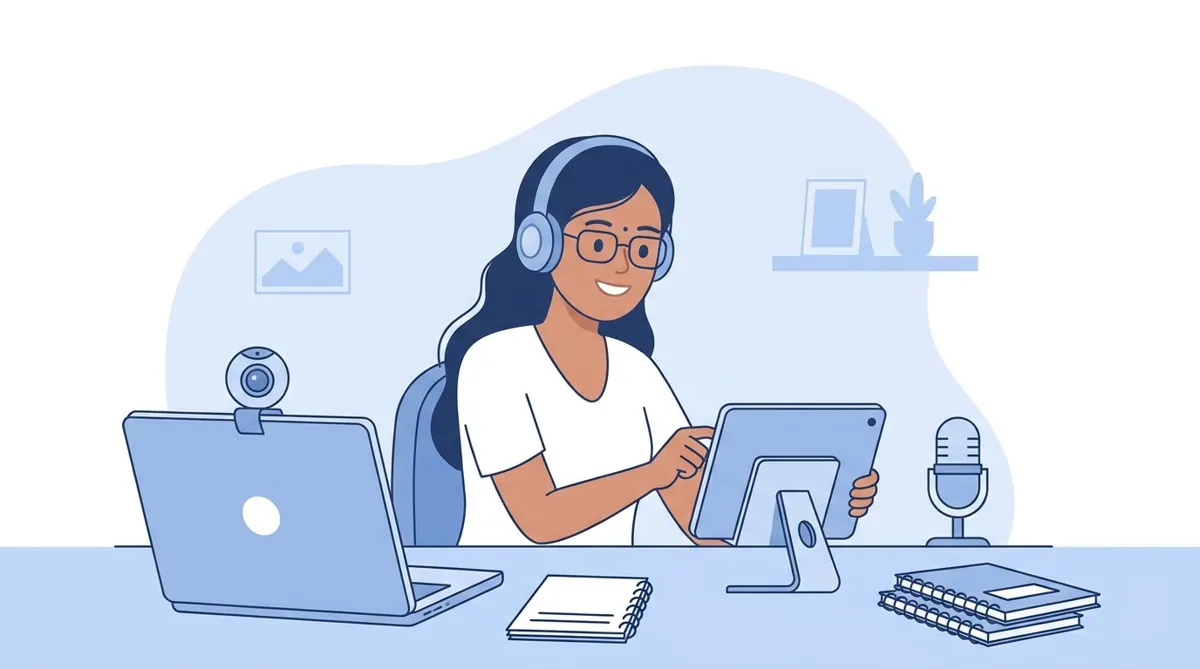
Start with what you have. A laptop with built-in webcam and microphone is sufficient. Invest in external equipment only if you notice problems.
Essential Setup
Laptop or Desktop: Any device with a processor from the last 5 years works. Chromebooks are budget-friendly and reliable for video calls.
Webcam: Built-in laptop cameras are fine for tutoring. External USB webcams (₹1,500–3,000) help if your laptop camera is poor quality or positioned awkwardly.
Microphone: Your laptop mic works initially, but a USB microphone (₹800–2,000) improves audio clarity significantly. This matters more than video quality—tutors need to hear you clearly.
Headphones: Use earbuds or headphones to avoid echo and reduce background noise. Any basic pair works; expensive ones aren't necessary.
Nice-to-Have Upgrades
A ring light or desk lamp improves video clarity in poorly lit rooms. A document camera lets your tutor see your handwritten work or textbook pages. A stylus and tablet (like an iPad) are helpful for math and science, but not required—pen and paper work fine.
How Should I Set Up My Study Space?
Your physical environment affects learning. Choose a quiet room away from TV, traffic noise, or family activity. If you live in a busy Delhi NCR household, let family members know your tutoring schedule so they can minimize interruptions.
Lighting and Background
Position yourself facing a light source (window or lamp) so your face is clearly visible. Avoid sitting with your back to a bright window—it silhouettes you. A plain, neutral background (wall or curtain) is professional and reduces distractions. Messy backgrounds aren't a deal-breaker, but they can be distracting for both of you.
Desk and Seating
Use a desk or table at a comfortable height. Your laptop screen should be at eye level to avoid neck strain during long sessions. Sit upright in a chair with back support—slouching reduces focus and causes fatigue.
What About Shared Devices and Multiple Users?
If you share a laptop with family, create a separate user account for tutoring. This keeps your notes and files organized and prevents accidental interference. Close unnecessary browser tabs and apps before each session to free up RAM and reduce lag.
If siblings also take online tuition, stagger session times or use separate devices. Simultaneous video calls on one connection can overwhelm your bandwidth.
Do I Need Special Software Beyond the Video Platform?
Most tutoring happens within your video platform. However, a few tools enhance learning:
Useful Additions
Google Drive or OneDrive: Store and share notes, assignments, and study materials with your tutor.
Notability or OneNote: Digital note-taking apps help organize subjects and search notes later. Free options like Google Keep work too.
Desmos or GeoGebra: Free math visualization tools useful for geometry and graphing lessons.
Your tutor will guide you on what's needed. Don't buy premium software unless specifically recommended.
How Do I Test My Setup Before the First Session?
Log into your video platform 10 minutes early. Check camera, microphone, and speaker volume. Ask a family member to join a test call to confirm audio and video quality. Ensure your internet is stable by closing other apps and downloads. This prevents awkward technical delays during your actual tutoring session.
For online tuition in Delhi NCR, many tutors at EZ Tuitions conduct a quick tech check before your first paid session anyway, so don't stress if you're unsure.
What If I'm Still Having Technical Issues?
Restart your device and router. Update your browser and video platform. Disable VPN if you're using one—it can slow connections. If problems persist, discuss with your tutor whether they can reschedule or switch to audio-only temporarily.
Most technical hiccups resolve with basic troubleshooting. The key is starting simple and upgrading only when needed. A ₹30,000 setup isn't better than a ₹5,000 one if you don't know how to use it. Focus on stability, clarity, and a distraction-free space—that's 80% of successful online tutoring at home.
Frequently asked questions
- What Internet Speed Do I Need for Online Tutoring?
- A minimum of 5 Mbps download and 2.5 Mbps upload speed is recommended for smooth video calls and screen sharing during online tutoring sessions. If your home connection drops below this, you'll face lag, frozen screens, and audio cuts—all frustrating for both student and tutor.
- Which Software Is Best for Online Tutoring Sessions?
- Google Meet, Zoom, and Microsoft Teams are reliable for tutoring. Choose based on your tutor's preference, ease of use, and whether you need recording or whiteboard features. Most tutors in India prefer Google Meet (free, no time limits for one-on-one) or Zoom (better for group sessions).
- What Equipment Do I Actually Need?
- Start with what you have. A laptop with built-in webcam and microphone is sufficient. Invest in external equipment only if you notice problems.
- How Should I Set Up My Study Space?
- Your physical environment affects learning. Choose a quiet room away from TV, traffic noise, or family activity. If you live in a busy Delhi NCR household, let family members know your tutoring schedule so they can minimize interruptions.
- What About Shared Devices and Multiple Users?
- If you share a laptop with family, create a separate user account for tutoring. This keeps your notes and files organized and prevents accidental interference. Close unnecessary browser tabs and apps before each session to free up RAM and reduce lag.
- Do I Need Special Software Beyond the Video Platform?
- Most tutoring happens within your video platform. However, a few tools enhance learning:
Related articles
- How to Choose the Right Online Tutor for Your Child
- Students Looking for Tutors? A Parent's Guide to Finding Help
- Online Tuition vs Offline Tuition: Pros and Cons for CBSE Students
- How to Keep Kids Focused During Online Tuition Classes: Practical Tips for Parents
- How to Choose the Best Online Tutoring Platform in India
Explore related tuition services: online tuition · CBSE tuition · home tuition