
Screen Time vs Study Time: How to Find the Right Balance
Learn how to balance screen time and study time for students. Expert tips for parents in Delhi NCR to help kids focus better without screen addiction.
| Topic | Parenting |
|---|---|
| Focus | student-wellness |
| Read time | 4 min |
| Words | 897 |
| Published | 2 Oct 2026 |
| Best for | Parents & students |
The Answer: Balance, Not Elimination
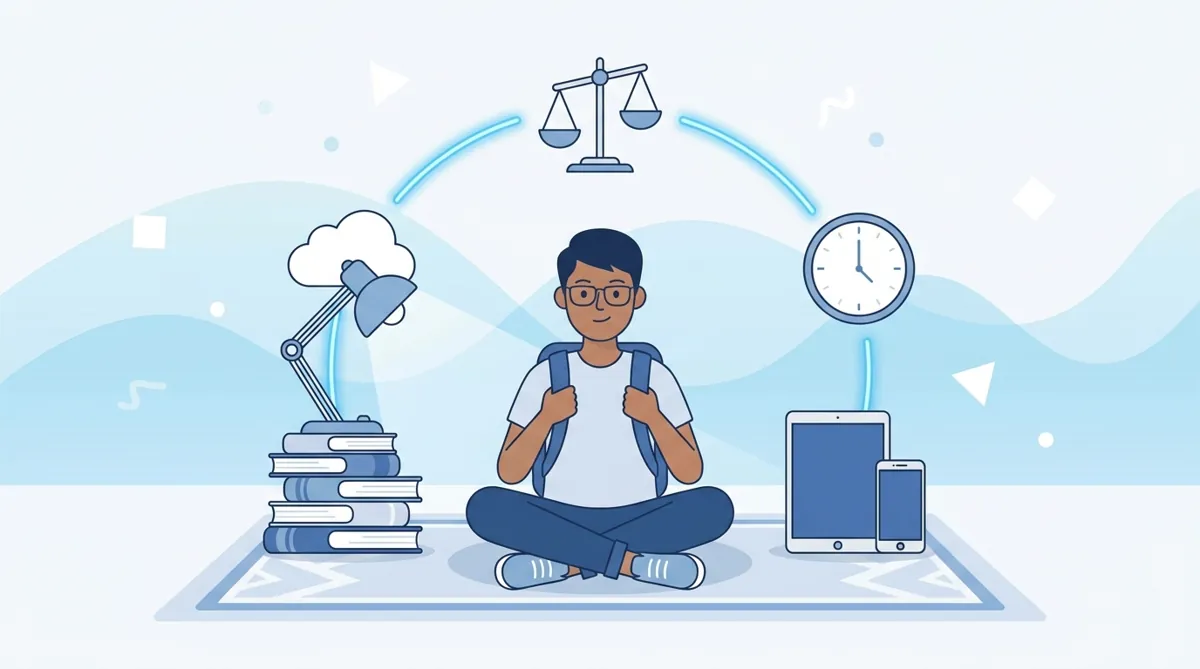
The right balance between screen time and study time isn't about cutting screens entirely—it's about being intentional. Limit recreational screen time to 1–2 hours daily, keep focused study sessions mostly screen-free, and use technology purposefully for learning. Most students thrive when study and screen time are separate, with clear start and stop times.
Why This Balance Matters for Students
Today's students live in a digital world. Screens are tools for learning, but they're also sources of endless distraction. When a child switches between homework and social media, their brain struggles to go deep. Research on attention spans shows that multitasking with screens reduces learning retention by 20–40%. Yet completely avoiding screens isn't realistic—or helpful, since online tuition, educational videos, and digital resources are now essential learning tools.
The goal is intentional use: screens for learning, offline time for focus.
Understanding Screen Time vs Study Time
What Counts as Screen Time?
Screen time includes social media, videos, gaming, and entertainment apps. It does not include focused learning on screens—like an online tuition session with EZ Tuitions, researching for a project, or watching an educational video assigned by your teacher.
What Counts as Study Time?
Study time is any focused learning: reading textbooks, solving problems, writing notes, attending online classes, or working with a tutor. The key word is focused. If your child is studying while scrolling, that's diluted study time.
How Much Screen Time Is Healthy for Students?
Most child development experts recommend 1–2 hours of quality screen time daily for school-age children, separate from study-related screens. Younger students (under 10) should aim for the lower end. The focus should be on what they watch, not just duration.
For students aged 10–18, a reasonable breakdown might look like:
- Recreational screen time: 1–1.5 hours daily (after homework is done)
- Study-related screens: 1–2 hours daily (online tuition, research, educational apps)
- Offline study: 2–3 hours daily (reading, writing, problem-solving)
This varies by age, school workload, and individual needs. A 12th-grader preparing for board exams will naturally spend more time studying than a 6th-grader.
Should Students Study Entirely Offline or Use Screens for Learning?
A hybrid approach works best: use screens for interactive learning, research, and online tuition sessions, but balance with offline reading, handwriting, and problem-solving. This strengthens both comprehension and retention.
Here's why both matter:
- Offline study (handwriting, reading textbooks, solving on paper) builds deeper memory and reduces cognitive load from screen fatigue.
- Online learning (tuition sessions, animated explanations, interactive quizzes) makes complex topics clearer and allows one-on-one doubt clearing.
The best students use both. For instance, a student might attend an online tuition session to understand a concept, then solve practice problems offline to cement learning.
Practical Tips to Balance Screen Time and Study Time
Set Clear Boundaries
Establish screen-free study hours. For example: "Homework and study happen 4–6 PM with no phones." Use a timer. When study time ends, screen time can begin—but with a limit (e.g., 30–45 minutes).
Create a Distraction-Free Study Space
Keep phones and tablets out of reach during offline study. If your child uses a laptop for online tuition, close unnecessary tabs and apps. A clean desk, good lighting, and minimal noise help focus.
Use Screens Purposefully
When screens are part of study, they should have a clear purpose: attending an online class, watching an educational video, or researching. Aimless browsing isn't study time.
Monitor Sleep and Eye Health
Too much screen time, especially before bed, disrupts sleep. Encourage the 20-20-20 rule: every 20 minutes of screen use, look at something 20 feet away for 20 seconds. This reduces eye strain.
Lead by Example
Parents who model healthy screen habits—putting phones away during family time, reading books, working without constant notifications—influence children more than rules alone.
What Are Signs My Child Is Spending Too Much Time on Screens?
Watch for declining grades, reduced focus during study, eye strain, poor sleep, irritability when screens are removed, or neglected offline hobbies. If homework takes longer due to distractions, it's time to reset boundaries.
Other red flags:
- Completing assignments takes much longer than it should.
- Your child gets anxious or angry when screens are taken away.
- Grades drop despite studying "more."
- Sleep is disrupted; your child is tired in class.
- Offline activities (sports, reading, friends) are abandoned.
How Online Tuition Fits Into This Balance
Online tuition is focused screen time—it's learning, not distraction. A one-on-one session with a tutor on EZ Tuitions is structured, goal-oriented, and free from the distractions of social media. It counts as study time, not recreational screen time.
Many parents in Delhi NCR, Noida, and Gurugram use online tuition to supplement classroom learning without adding to their child's overall screen burden—because it replaces unfocused browsing with purposeful learning. Starting tuition at the right time can actually reduce overall study stress and screen time.
The Bottom Line
Balance isn't about perfect ratios—it's about intention. Recreational screens should be limited (1–2 hours daily), study time should be mostly focused and offline, and learning screens should have a clear purpose. When your child knows the difference between scrolling and studying, and when they have boundaries they understand, they're far more likely to use screens wisely.
Start small: pick one boundary this week (e.g., no phones during dinner or study time), observe what changes, and build from there. Most students find their rhythm within 2–3 weeks of consistent structure.
Frequently asked questions
- Why This Balance Matters for Students?
- Today's students live in a digital world. Screens are tools for learning, but they're also sources of endless distraction. When a child switches between homework and social media, their brain struggles to go deep.
- What Counts as Screen Time?
- Screen time includes social media, videos, gaming, and entertainment apps. It does not include focused learning on screens—like an online tuition session with EZ Tuitions, researching for a project, or watching an educational video assigned by your teacher.
- What Counts as Study Time?
- Study time is any focused learning: reading textbooks, solving problems, writing notes, attending online classes, or working with a tutor. The key word is focused . If your child is studying while scrolling, that's diluted study time.
- How Much Screen Time Is Healthy for Students?
- Most child development experts recommend 1–2 hours of quality screen time daily for school-age children, separate from study-related screens. Younger students (under 10) should aim for the lower end. The focus should be on what they watch, not just duration.
- Should Students Study Entirely Offline or Use Screens for Learning?
- A hybrid approach works best: use screens for interactive learning, research, and online tuition sessions, but balance with offline reading, handwriting, and problem-solving. This strengthens both comprehension and retention.
- What Are Signs My Child Is Spending Too Much Time on Screens?
- Watch for declining grades, reduced focus during study, eye strain, poor sleep, irritability when screens are removed, or neglected offline hobbies. If homework takes longer due to distractions, it's time to reset boundaries. Other red flags: Completing assignments takes much longer than it should.
Related articles
- How to Help Your Child Develop a Daily Study Habit
- How to Build Strong Study Habits in Children from an Early Age
- How to Motivate a Child Who Has Lost Interest in Studies
- How Much Screen Time Is Healthy for School Students? A Parent's Guide
- How to Help Your Child Improve Concentration While Studying
Explore related tuition services: online tuition · home tuition